
From Sign-Up to First Call: How to Deploy a Voice AI Agent in Minutes
Legacy voice automation implementations historically required months of professional services, custom CTI integration, and extensive acoustic model tuning. Enterprise teams attempting to launch interactive voice workflows faced prolonged development cycles, complex telecom provisioning, and fragile dialog state mapping. These delays created significant operational drag, leaving high-volume contact centers unable to respond dynamically to call-volume spikes or immediate customer needs.
Modern orchestration platforms have removed these barriers to deploying voice AI agents. Launching a voice AI agent no longer needs custom development or specialist engineers. By replacing rigid script trees with simple, zero-code setup screens, teams can set up a voice AI agent in minutes while keeping enterprise-grade security, firm guardrails, and real-time backend connections. Understanding how agentic voice AI architectures process natural language helps teams speed up setup across inbound support, outbound lead engagement, and transactional customer care.
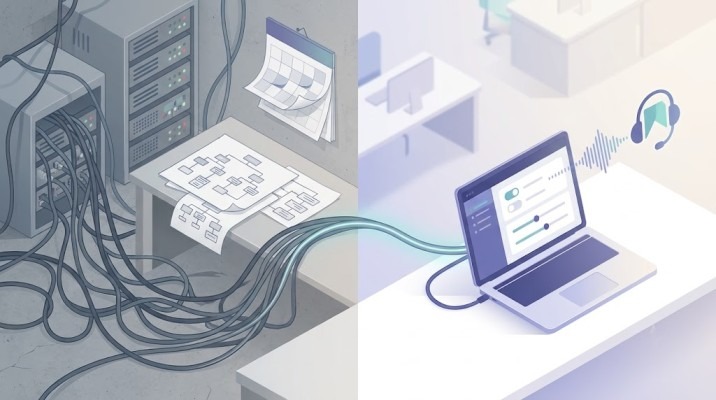
The Evolution of Voice AI Agent Deployment
Traditional IVR and early conversational voice implementations were notorious for lengthy rollout schedules. Teams spent weeks defining intent dictionaries, writing explicit fallback branches, and configuring SIP trunks across legacy private branch exchange servers.
The transition to modern agentic architectures simplifies this entire lifecycle into a streamlined software workflow:
- Legacy Script Mapping vs. Ingestion: Rather than manually drawing decision trees, modern systems ingest knowledge directly from existing API documentation, enterprise policy documents, and CRM data structures.
- Manual SIP Trunking vs. Virtual Telephony Provisioning: Web-based platforms allocate virtual phone numbers instantly, handling WebRTC bridging and SIP negotiation behind web interfaces.
- Static Model Tuning vs. Zero-Code Behavioral Rules: Modern speech models handle regional accents and industry jargon out of the box, so teams no longer need to train custom recognition models before launch. Teams set agent behavior through simple rules rather than technical tuning.
Moving away from months-long integration cycles allows operations leaders to focus on strategic execution rather than underlying telecom infrastructure.
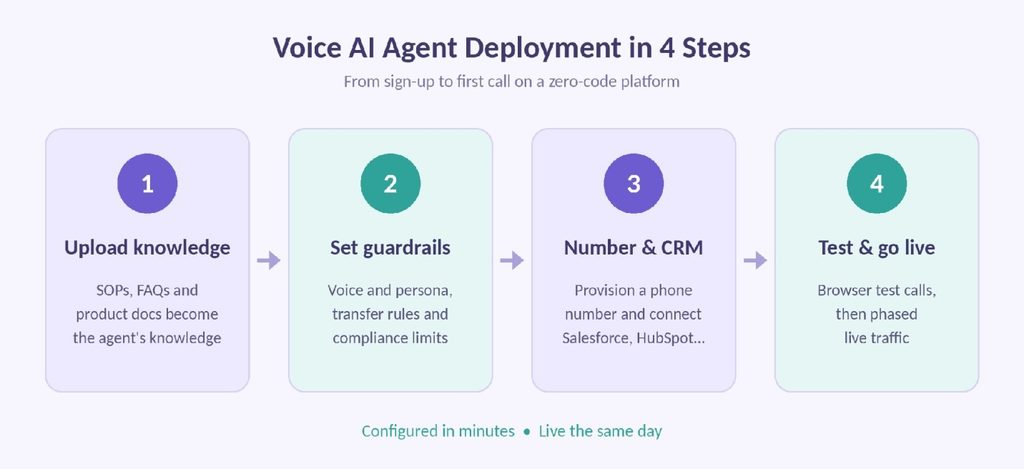
Step 1: Account Setup and Knowledge Ingestion
A fast deployment starts with defining what the agent should handle and giving the platform accurate information to work from.

Ingesting Operational Policies
Modern platforms don’t require you to code rules by hand. Instead, administrators upload their existing standard operating procedures, knowledge base articles, or product documentation. The system automatically organizes this material into a searchable knowledge store and defines what the agent can and can’t discuss.
Defining Variable Inputs and Schema
To execute transactional workflows, the platform must understand what information to collect from callers. Setting up fields for verification parameters, such as account numbers or policy IDs, ensures the system captures structured data during the conversation. These details then flow directly into downstream ticketing systems, a key strength of AI agents for call centers.
Step 2: Designing Conversation Dynamics and Guardrails
Deploying a real-time voice system requires establishing behavioral parameters that align with brand voice and regulatory mandates.

Configuring Personality and Persona
Administrators choose the voice, speaking pace, and tone that suit the target audience. They then adjust the underlying prompt settings to match the right persona, whether that’s formal financial verification or energetic outbound sales calls. Response speed matters just as much: keeping replies under 500 milliseconds enables natural turn-taking, so optimizing voice AI latency is essential.
Establishing Hard Boundary Rules
Safety and accuracy depend on fixed rules that sit on top of the AI’s flexible reasoning. During setup, teams define strict operating rules:
- Explicit instruction sets on when to transfer calls to human specialists.
- Upper transaction thresholds for automated refunds or booking changes.
- Mandatory regulatory disclaimers required before taking payment information.
Setting these parameters ensures Voice AI agents operate within approved compliance frameworks from the first call.
Step 3: Telephony Provisioning and Direct API Integration
Connecting the voice system to telecommunications infrastructure and backend enterprise systems occurs in parallel with logic design.

Virtual Number Allocation
Through web consoles, administrators can select and provision virtual phone numbers across regional or national prefixes in seconds. Outbound campaigns can similarly bind caller ID pools to match local geographical targets automatically. Cloud-native audio pipelines keep call audio clear over WebRTC connections, even at high volumes.
Connecting Enterprise Systems
Real-time actions require linking the voice platform to existing software systems. Using standardized OAuth or API key credentials, administrators connect tools such as Salesforce, HubSpot, or Zendesk. This enables instant read-write capabilities while the caller is live on the line, directly reducing average handle time across frontline operations.
Step 4: Testing and Production Rollout
Before opening lines to public traffic, deployment frameworks include built-in simulation environments to validate system behavior.
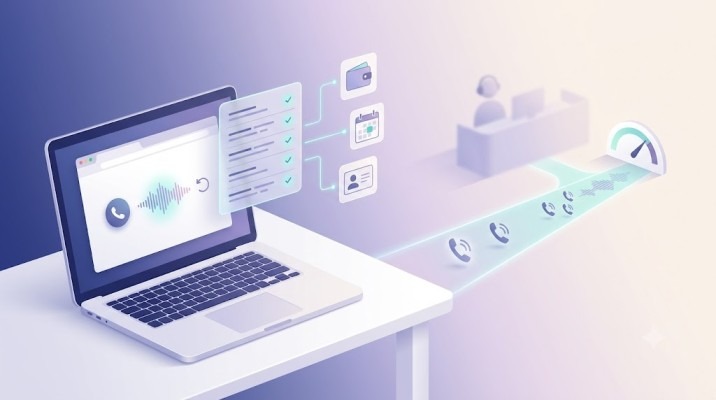
Interactive Web Testing
Administrators execute test calls directly through the browser interface. This step validates audio latency, verifies interruption handling, and tests context shifts, such as a caller changing topics mid-conversation.
Backend Action Verification
During web simulations, logs display real-time API triggers. Operators verify that account balances are correctly retrieved, calendar slots are booked, and CRM records update accurately without manual intervention.
Phased Traffic Migration
After browser testing, teams route a small percentage of live inbound phone traffic or launch a limited outbound batch to measure real-world performance.
The Ello Advantage: Zero-Code Deployment with Continuous Self-Evolution
While general platforms simplify basic setup, choosing an AI voice agent platform requires specialized infrastructure that combines immediate deployment with long-term operational improvement.
Designed specifically for enterprise speed and scale, Ello allows teams to configure, test, and deploy production-grade voice agents in minutes without developer support:
- Instant Knowledge & Workflow Ingestion: Ello instantly converts unstructured enterprise docs, CRM schemas, and API specs into active conversational logic, cutting initial setup to a single web session.
- Voice-to-Action Integration Engine: Ello connects directly to CRMs, ERPs, ATS, and custom backends out of the box, letting newly deployed agents execute transactions and log call records directly in tools like Salesforce or Zendesk.
- Self-Evolving Architecture: Once deployed, Ello features an autonomous learning loop that analyzes conversational telemetry and post-call resolution metrics. After processing approximately 200 calls, the system automatically refines its prompting parameters and dialogue paths, delivering a 30 percent boost in operational efficiency without manual developer updates.
- Multilingual Vernacular Support: Ello natively supports 30+ languages and hundreds of regional accents, handling code-switching and local idioms without separate language model configurations.
- Enterprise Security and Compliance: Built for SOC 2 compliance, with robust encryption and strict hallucination containment, Ello enforces automated regulatory compliance (including TRAI rules and calling hour restrictions) from day one.
Frequently Asked Questions
1) What is voice AI agent deployment?
It is the process of configuring, connecting, and launching an AI agent that answers or makes live phone calls. On a zero-code platform, it covers four steps: uploading your knowledge, setting guardrails, provisioning a phone number and connecting your CRM, and testing before going live.
2) How long does a typical voice AI agent deployment take from start to finish?
You can complete initial setup, knowledge ingestion, and web-based testing in under 15 minutes. Final production routing depends on your team’s internal testing protocols, but you can go live the same day.
3) Do I need specialized software developers to deploy a voice AI agent?
No. Modern deployment platforms use zero-code interfaces that let non-technical teams upload knowledge documents, set up business logic, provision phone numbers, and connect CRM integrations directly.
4) Can I connect a newly deployed voice AI agent to my existing call center software?
Yes. Platforms support direct integration with major contact center and CRM ecosystems, including Salesforce, Zendesk, Genesys, and HubSpot, as well as custom REST APIs via standard webhooks.
5) How do I test my voice AI agent before routing live customer calls to it?
Deployment portals include browser-based web simulation tools. You can speak directly to the agent over your computer audio, test edge cases, and inspect real-time API payload triggers before assigning a live phone number.
6) What happens if the agent receives a call in a language or dialect I didn’t explicitly configure?
Modern architectures automatically recognize accents, regional dialects, and language transitions in real time. Platforms with native vernacular support adjust dynamically to 30+ languages without requiring separate regional builds.
7) What do I need before deploying a voice AI agent?
You need the content the agent will rely on, such as SOPs, FAQs, and product documentation, plus clear rules for when calls should transfer to a human. You will also want access credentials for your CRM or helpdesk, a phone number (or a plan to provision one), and a few test scenarios based on real calls.
8) How is a voice AI agent different from IVR?
An IVR routes callers through fixed menus and keypad or keyword options. A voice AI agent understands natural speech, handles topic changes mid-call, and completes tasks such as booking appointments, verifying accounts, or updating CRM records. Instead of building decision trees, teams provide knowledge and rules, and the agent manages the conversation in real time.
9) How much does it cost to deploy a voice AI agent?
Costs depend on the platform and your call volume. Most platforms use usage-based pricing, typically per minute of call time, and some add fees for phone numbers or premium features. Zero-code platforms remove most upfront costs because they don’t require custom development or professional services. For current Ello pricing, contact the Ello team.
Conclusion
The transition from months-long custom integration projects to rapid software configuration marks a major turning point for voice AI agent deployment in enterprise telephony. By eliminating traditional deployment bottlenecks, organizations can deploy Voice AI agents quickly, scale operational capacity on demand, and automate complex workflows with minimal friction.
By unifying rapid zero-code onboarding with enterprise guardrails and real-time backend execution, forward-thinking leaders can launch intelligent voice channels that drive immediate ROI. To experience how quickly your contact center or sales team can go live, explore Ello’s enterprise voice platform.